
How to declare revenue from sales abroad
Reverse charge in the EU, services and exports to third countries: with Norman invoices they land in the right UStVA line by themselves; without them, through the client on the income.
Updated
Sales to clients abroad belong in their own lines of the UStVA, not with domestic or tax-free sales. For this, Norman needs the client's country, the client type and, for EU clients, the client's VAT number.
With Norman invoices: right by themselves
If you issue the invoice in Norman, Norman takes everything from the invoice: the client with country, client type and VAT number. Norman leaves out the VAT and puts the reverse charge note on the invoice. As soon as the payment matches the invoice, the income lands in the right line and, where required, in the Zusammenfassende Meldung. You set nothing on the income.
That is why we recommend writing your invoices in Norman. Read Reverse charge: on your invoices and for expenses from abroad.
Without Norman invoices: set the client on the income
If you write your invoices in another program, the revenue reaches Accounting as income from the bank. Then the Client of that income decides whether it counts as a sale abroad, not the VAT rate.
If you only set the VAT rate to 0%, Norman does not know where you sold. The UStVA then shows the income as a tax-free sale instead of a sale abroad, and the Zusammenfassende Meldung is missing.
To record the income correctly:
- Open the income in Accounting.
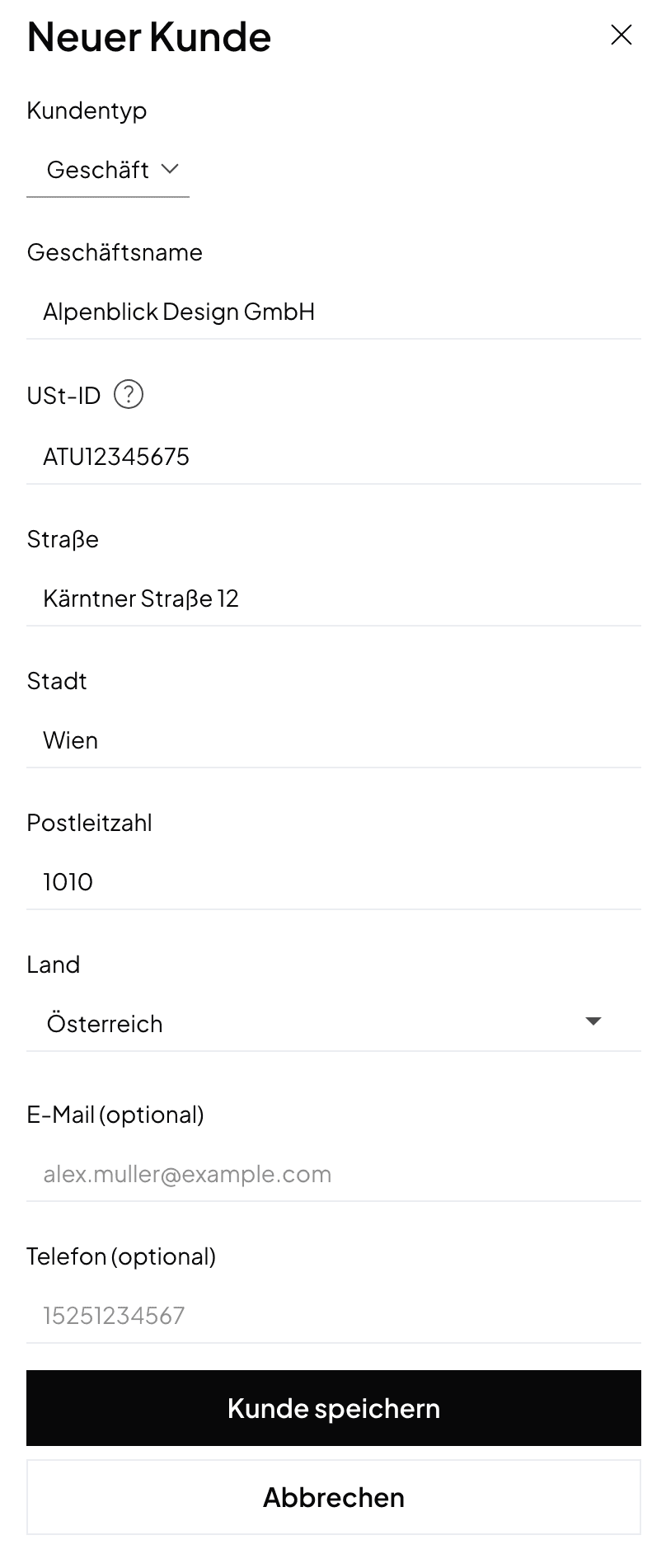
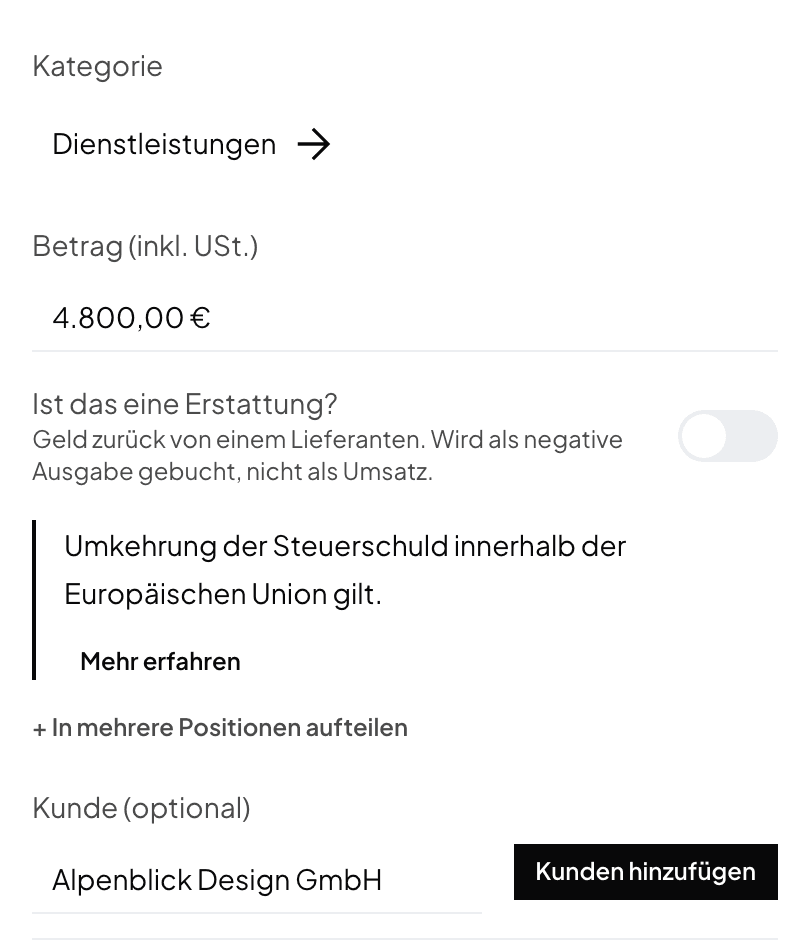
- In the Client field, choose your client. If the client does not exist yet, click Add client.
- Set on the client:
- Client type: Business,
- Country: your client's country,
- VAT number: for clients in the EU, their VAT identification number.
- Choose the category Services or Goods, depending on what you sold. In a GmbH or UG, choose the matching revenue account.
- Check the note below the fields. Norman shows it in place of the VAT rate, for example "European union reverse charge applies."
You save the client once. For the next payment from the same client, you only select it.
Which case lands in which line
| Case | What the client shows | UStVA |
|---|---|---|
| Service to a business in the EU | Business, EU country, VAT number; category Services | Line 21, plus the Zusammenfassende Meldung |
| Goods to a business in the EU | Business, EU country, VAT number; category Goods | Line 41, plus the Zusammenfassende Meldung |
| Service to a business outside the EU | Business, country outside the EU; category Services | Line 45 |
| Goods to a client outside the EU | Country outside the EU; category Goods | Line 43, tax-free export delivery |
If a client in the EU has no VAT number, reverse charge does not apply. You then charge German VAT, and the income counts at 19% or 7%.
Related articles
Norman handles the operational finance work
Invoicing, receipts, bookkeeping, and taxes in one workflow: start for free.