
Tax settings: tax form, VAT and JPK frequency
How to set a JDG's tax form or a company's CIT rate, your VAT status and monthly or quarterly filing in Norman, what happens to your reports after a change, and what Norman does not notify on your behalf.
Updated
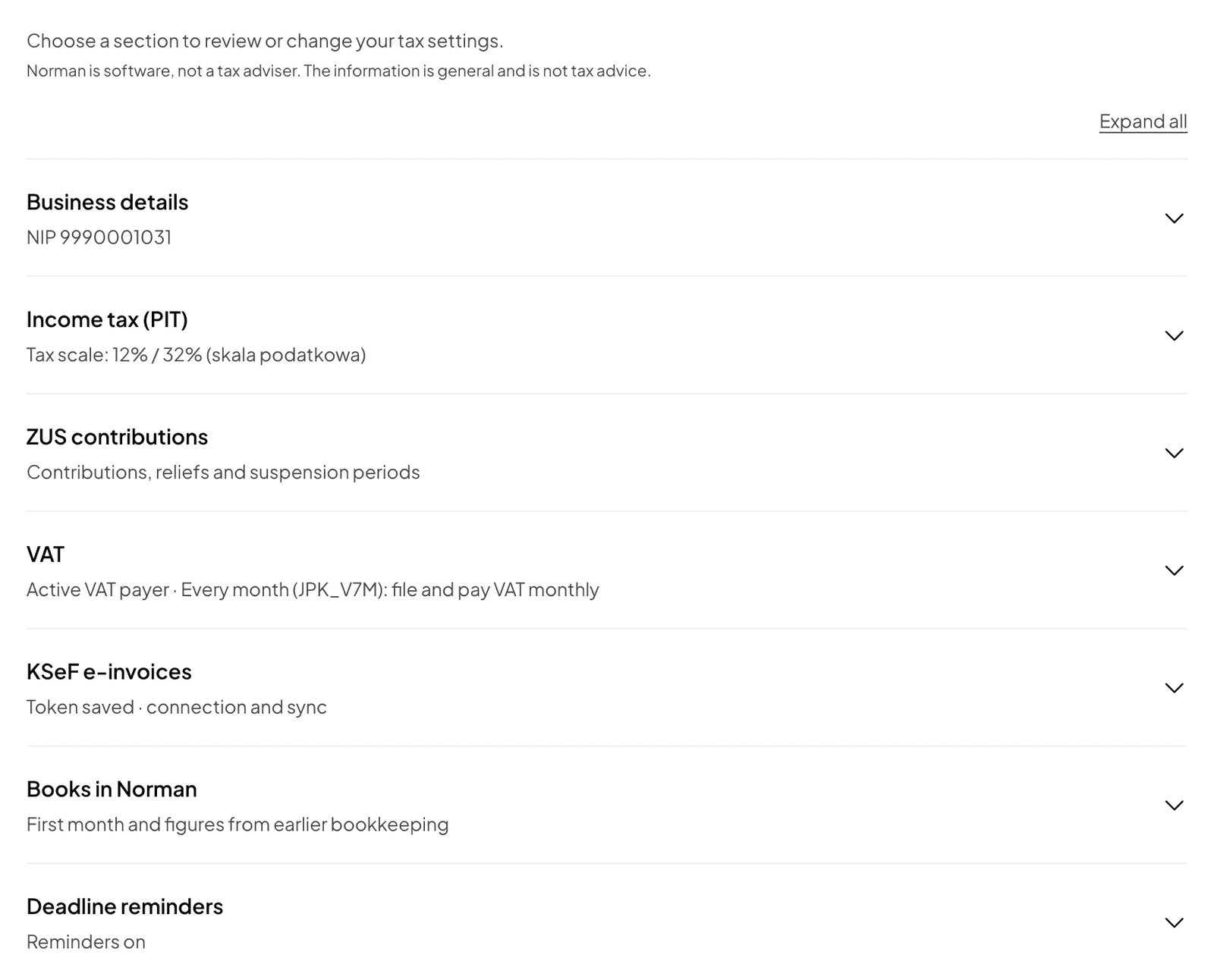
From your tax settings, Norman builds your list of reports and works out your taxes. You find them under Account → Taxes and behind the Tax settings button on the Taxes page. The ? next to a field's name shows its details.
Settings in Norman notify nobody: not the tax office, CEIDG or ZUS. Change them after you have filed the notice with the authority.
Tax form (JDG)
In the Income tax (PIT) section, choose the Tax form you declared in CEIDG:
- Tax scale: 12% / 32% (skala podatkowa),
- Flat tax: 19% (podatek liniowy),
- Lump sum on revenue (ryczałt, rates from 2 to 17%).
The form decides your PIT advances, your annual PIT form (PIT-36, PIT-36L or PIT-28) and your health contribution. It applies for the whole year. A change for a year is notified in CEIDG by the 20th of the month after the year's first revenue (art. 9a of the PIT act). Under ryczałt, also set the rates of your revenue categories: see The KPiR, the revenue register and exchange differences.
You set your ZUS profile in its own ZUS contributions section: see ZUS contributions and the DRA file.
CIT rate (sp. z o.o.)
In the Corporate income tax (CIT) section, choose the CIT rate: 9%: small taxpayer or first tax year or 19%: standard rate. You set how advances are paid and the rate for each year under CIT advances: see CIT in an sp. z o.o.. Norman does not settle Estonian CIT.
VAT status
In the VAT section, choose the VAT status:
- Active VAT payer: you charge VAT, deduct the VAT on your costs and file a JPK_V7, which Norman prepares,
- Exempt by turnover (art. 113): sales up to PLN 240,000 net a year, prorated in the first year,
- Exempt by type of activity (art. 43): VAT-exempt services, at any turnover.
An exempt business files no JPK_V7, so Norman creates none. If unsure, check your NIP in the VAT register (Biała lista) on podatki.gov.pl.
If your status was different in an earlier year, set it under VAT status in earlier years and click Save earlier years. This applies to documents and reports from 2026.
Monthly or quarterly
For an active VAT payer, choose How often you settle VAT:
- Every month (JPK_V7M): file and pay VAT monthly,
- Every quarter (JPK_V7K): pay VAT quarterly, send records monthly.
Quarterly is for small taxpayers, whose sales with VAT were up to EUR 2 million last year, and not in the first 12 months as an active VAT payer (art. 99 of the VAT act). The switch is notified to the tax office by the 25th of the second month of the quarter you want to start with. The JPK_V7K is explained in The JPK_V7: how Norman prepares and files it.
What happens after a change
When you save, Norman replaces the open reports that depend on the changed setting. For example:
- changing the tax form replaces the open annual PIT with the form for the new tax form,
- changing the frequency replaces open JPK_V7M reports with JPK_V7K reports, or the other way round.
Filed reports stay as they are. The draft figures of open reports, such as PIT advances, are recalculated too.
Other sections
- Business details: NIP, PESEL, tax office. See Company details.
- KSeF e-invoices: the token and automatic import of invoices. See The KSeF token.
- Books in Norman: only if your books moved to Norman during the year. See Getting started: a JDG in Norman.
- Deadline reminders: see Tax deadlines and reminders.
Norman is software, not a tax adviser. When choosing a tax form or VAT status, compare the options with your accountant or tax adviser.
Switch to AI accounting with Norman
Connect KSeF and your bank, and your operations land in Norman by themselves. Norman prepares your returns from your documents, and you check them.