
The KSeF token: connect KSeF to Norman in three steps
Generate a token with the permissions to issue and to view invoices and paste it into Norman. Norman checks it with KSeF right away, then sends your invoices and pulls your purchase invoices.
Updated
Norman sends your invoices to the National e-Invoice System (KSeF) and pulls your purchase invoices from it. It connects with your company's KSeF token.
Three steps
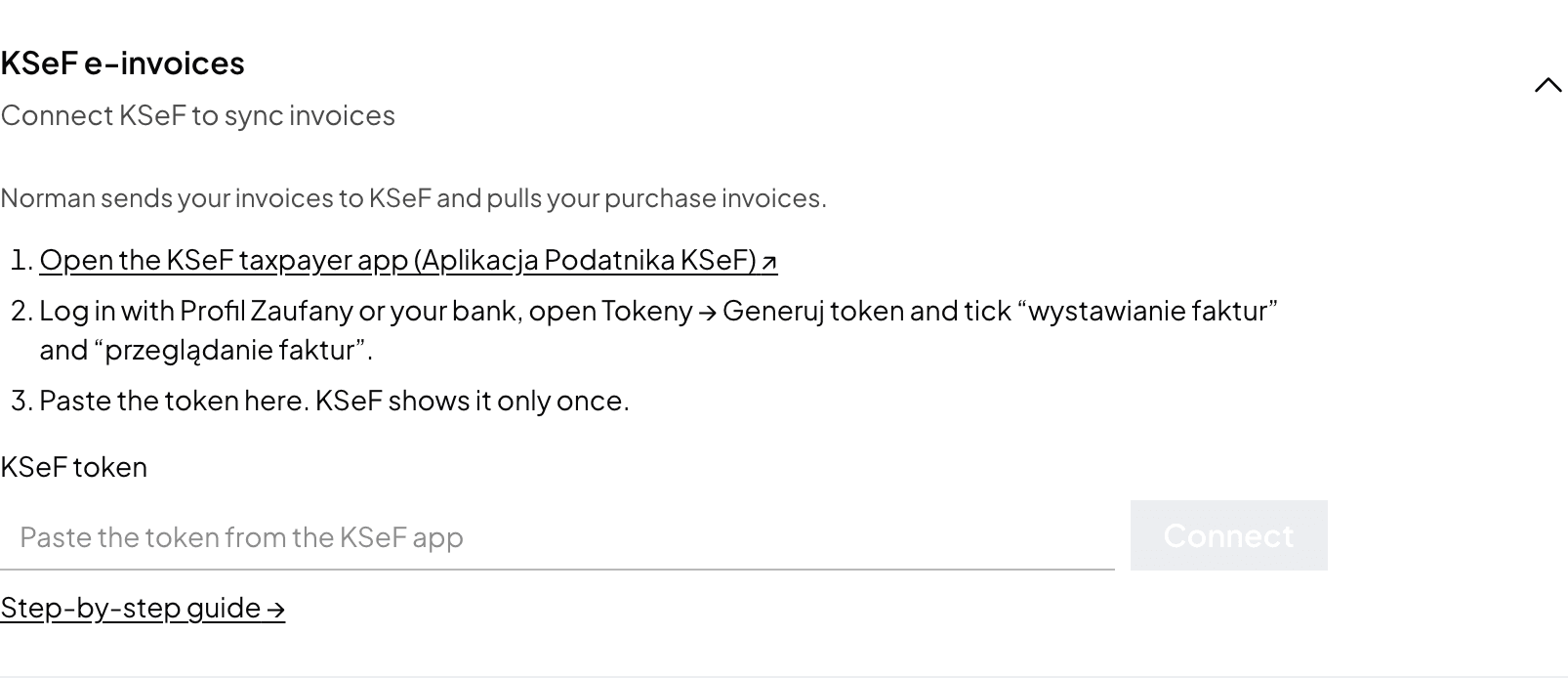
Open Account → Taxes, section KSeF e-invoices. You also find this step on Home as Add your KSeF token.
-
Open the KSeF taxpayer app (Aplikacja Podatnika KSeF, ap.ksef.mf.gov.pl). Norman links to it.
-
Log in with Profil Zaufany or your bank (an e-ID card, the mObywatel app or a qualified signature work too), open Tokeny → Generuj token and tick two permissions:
- wystawianie faktur (issuing invoices): Norman sends your invoices to KSeF,
- przeglądanie faktur (viewing invoices): Norman pulls your purchase invoices.
Norman needs no other permissions. Copy the token: KSeF shows it only once.
-
Paste the token into KSeF token. Norman checks it with KSeF right away.
An sp. z o.o. logs in to KSeF with a qualified electronic seal that carries the company's NIP. Without a seal, the company files the ZAW-FA notification with its tax office (on paper, through e-Urząd Skarbowy or through e-Doręczenia) and names one person in it. That person logs in with their own credentials in the company's NIP context and generates a token with the same two permissions.
What the check says
You see one line below the field:
| Message | What to do |
|---|---|
| KSeF connected | Nothing. Norman sends and pulls invoices. |
| KSeF refused this token | It may be revoked or copied incompletely. Generate a new one and paste the whole token. |
| This token can't issue invoices, or can't view invoices | Generate a new token with both permissions. Without the first Norman can't send your invoices, without the second it can't pull your purchase invoices. |
| This token is for NIP … | A token works only for the NIP it was generated for. Log in to KSeF for your company's NIP, or correct the NIP under Business details. |
| KSeF didn't answer | The token is saved. Norman checks it again by itself; you can also click Check again. |
A token KSeF did not take is not saved.
Once connected
The section shows the NIP, when you connected, the last sync, the last invoice sent and the token's permissions. If no new data arrives from KSeF for over a day, Norman says so and keeps trying.
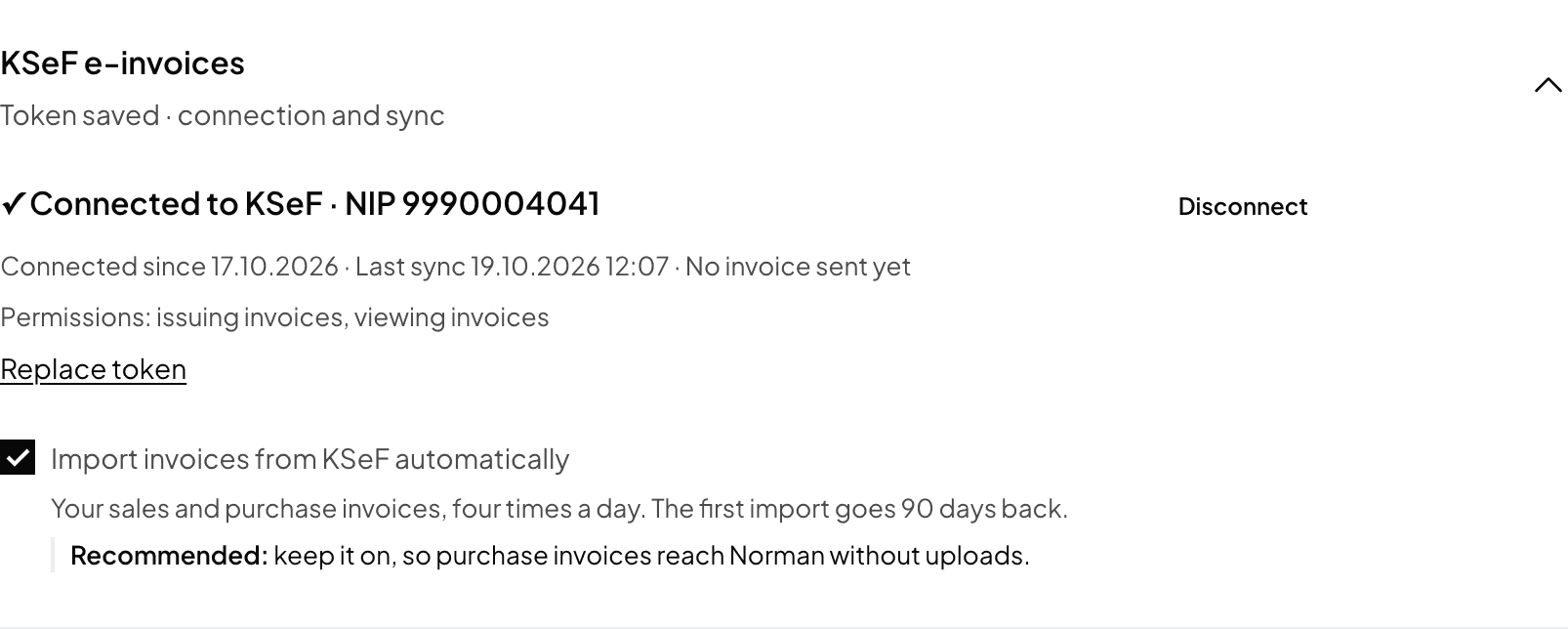
- Replace token: paste a new one, for example after you revoked the old one in KSeF.
- Disconnect: Norman stops sending and pulling invoices. The token keeps working in KSeF until you revoke it under Tokeny → Lista tokenów.
- Import invoices from KSeF automatically: on by default. Sales and purchase invoices arrive four times a day, and the first import goes back to the start of your books in Norman. To import right away, click Sync from KSeF on the Invoices page.
Next steps
- Invoices issued before you add the token do not go to KSeF automatically. See Invoices that did not reach KSeF.
- How sending and the statuses work: Sending invoices to KSeF.
- If your company has had to use KSeF since 1 February 2026 (2024 sales above PLN 200 million), contact support: the app has no setting for this yet.
Switch to AI accounting with Norman
Connect KSeF and your bank, and your operations land in Norman by themselves. Norman prepares your returns from your documents, and you check them.