
Getting started: a JDG in Norman
How to set up a Polish sole proprietorship: tax form, VAT, ZUS, your first month of records in Norman and the figures of earlier months.
Updated
This article is for a sole proprietorship (jednoosobowa działalność gospodarcza, JDG) in Poland. In Poland, Norman supports the JDG and the sp. z o.o. It does not support the spółka jawna or the spółka komandytowa.
Norman is software in which you keep your records and prepare your returns. Norman prepares the returns and calculations, and you check and file them. The exception is the JPK_V7: Norman files it with the tax office after you approve it.
1. Answer the setup questions
After you sign up, Norman asks a few questions. Your answers decide which returns Norman creates for you: the JPK_V7, PIT advances, ZUS contributions and the annual PIT.
- Where is your business based? Choose Poland.
- What describes you best? Choose Self-employed. If you are only starting a business, choose I am starting a business.
- Enter your name and the year your business started.
- Are you a VAT payer? Answer as registered with the tax office. If unsure, check your NIP in the VAT taxpayer register (Biała lista) on podatki.gov.pl.
- If you charge VAT: How often do you file the JPK_V7? Choose Monthly (JPK_V7M) or Quarterly (JPK_V7K). In your first 12 months as an active VAT payer you file monthly.
- How is your income taxed? Choose the tax scale, the flat tax or ryczałt, as registered in CEIDG.
- Which ZUS contributions do you pay? Choose ulga na start, preferential ZUS, Mały ZUS Plus, full ZUS, or one of the "health insurance only" options (employed or retired).
- Which month do your books in Norman start with? Choose January if you add all of this year's documents to Norman. Choose this month if you enter the earlier months as year-to-date totals.
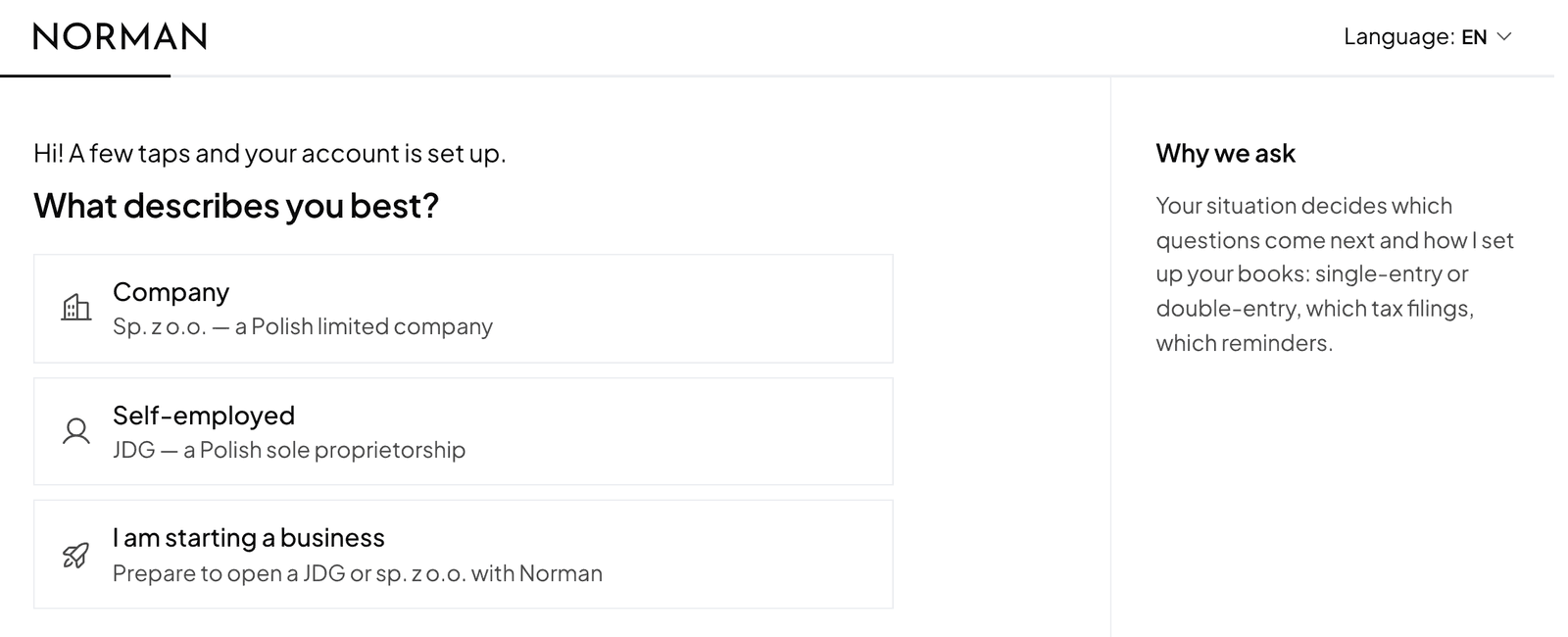
Your answers only set up Norman. They do not notify the tax office, ZUS or CEIDG.
2. Complete the steps on Home
Home shows a list of steps with a counter, for example "3 of 10", and your next step:
- Add your NIP: 10 digits, without the PL prefix. Norman fills in your EU VAT number from it.
- Add the company address and Add the company email. The email goes into the JPK file.
- Add your PESEL: a JDG's JPK_V7 and VAT-UE state the owner's date of birth, which Norman reads from the PESEL. Norman stores it encrypted, and only the company owner can see or change it.
- Choose your tax regime and VAT settings.
- Set up your ZUS profile (see step 3).
- Add your figures for the year so far if your books in Norman start during the year (see step 4).
- Confirm your tax office: a JDG's tax office follows the owner's home address, not the business address. Norman names only an office you chose or confirmed in the JPK.
- Add your KSeF token: see The KSeF token.
- Add your bank operations: connect your bank or import a CSV statement. See Bank connection and CSV import.
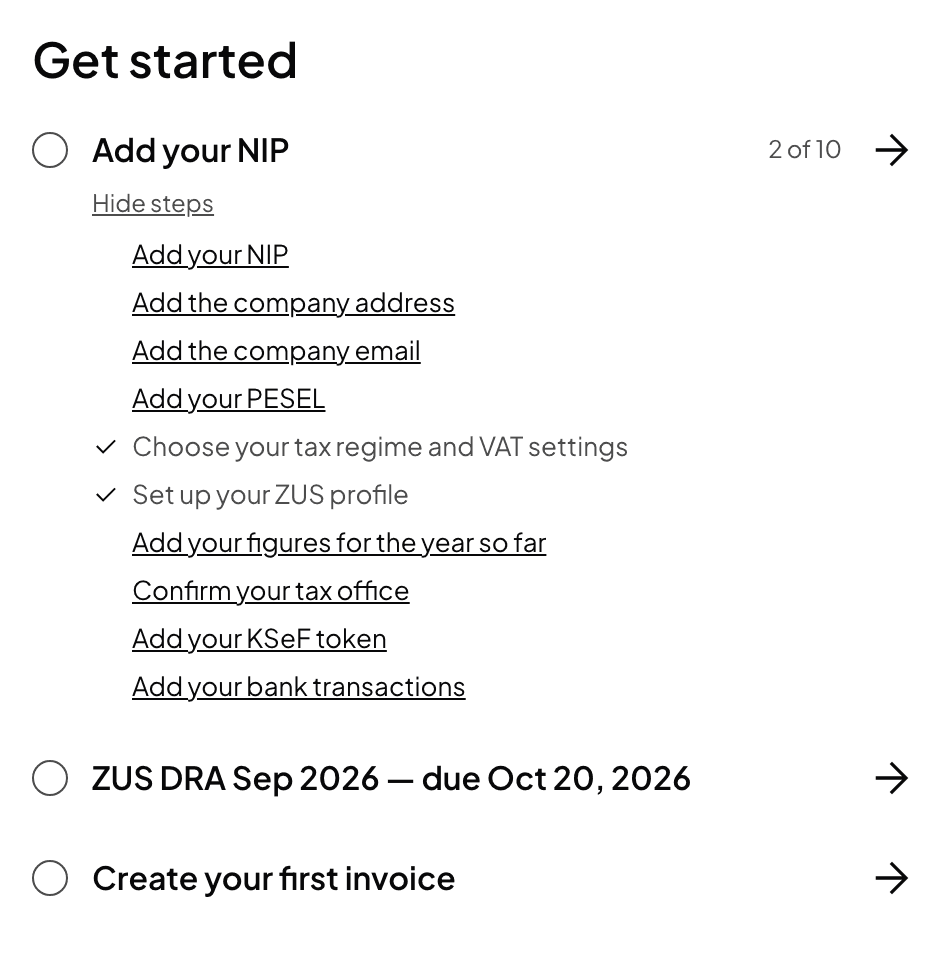
You also find all these settings under Account → Taxes and behind the Tax settings button on the Taxes page.
3. Add the start date of your ZUS scheme
The setup questions do not ask when your ulga na start, preferential ZUS or Mały ZUS Plus started. Without that date Norman does not know when the scheme ends, and it does not calculate your contributions.
- Open Account → Taxes, section ZUS contributions.
- Enter the start date of the scheme, as in your ZUS registration.
- Click Save ZUS settings.
Below the form you see this month's scheme and what comes next. More in ZUS contributions and the DRA file.
4. Books that start during the year
PIT advances are calculated year to date. If you kept your books elsewhere until now, Norman needs the figures of the earlier months.
- Open Account → Taxes, section Books in Norman.
- In First month in Norman, choose the month from which you add documents to Norman.
- Enter the year-to-date totals from your previous bookkeeping: Revenue (on ryczałt, split by rate), Deductible costs, Social contributions paid, Health contributions paid and PIT advances for these months. You find them in the KPiR summary of your previous software or with your accountant, and the contributions in PUE ZUS.
- On the tax scale or the flat tax, also enter the Income of the month before you start. The health contribution of your first month in Norman depends on it.
- Click Save books settings.
Without these figures Norman calculates no advances or contributions: it never takes a missing figure as zero. Norman ignores operations from the months before the start, for example an imported bank history. If all of this year's documents are in Norman, leave From the business start.
Polish returns in Norman start in 2026 at the earliest.
Norman is software, not a tax adviser. If you are unsure which tax form or ZUS scheme to choose, ask a tax adviser or an accounting office.
Switch to AI accounting with Norman
Connect KSeF and your bank, and your operations land in Norman by themselves. Norman prepares your returns from your documents, and you check them.