
Invoice numbers and number sequences
How Norman numbers invoices, cancellation invoices, credit notes, quotes and delivery notes, continues your own format and restarts in a new year.
Updated
Every invoice needs a sequential number that exists only once. § 14 (4) UStG requires it. Norman assigns the numbers itself and keeps each kind of document on the right count.
The number sequences
| Document | Sequence | First number in a new company |
|---|---|---|
| Invoice | Invoices | RE-2026-0001 |
| Cancellation invoice | Invoices | the next invoice number |
| Credit note | Invoices | the next invoice number |
| Quote | Quotes | AN-2026-0001 |
| Delivery note | Delivery notes | LS-2026-0001 |
The year is the current year. Invoices, cancellation invoices and credit notes share one sequence, because a correction is legally an invoice too. If a cancellation invoice follows invoice RE-2026-0014, it gets RE-2026-0015. Quotes and delivery notes each count on their own.
How Norman finds the next number
- Norman takes the number of the document you created last in the same sequence and adds one to the digits at the end. RE-2026-0041 becomes RE-2026-0042.
- If that number is already in use, for example after an import, Norman moves on to the next free number.
- Leading zeros stay: 007 is followed by 008. After 099 comes 100.
Use your own number
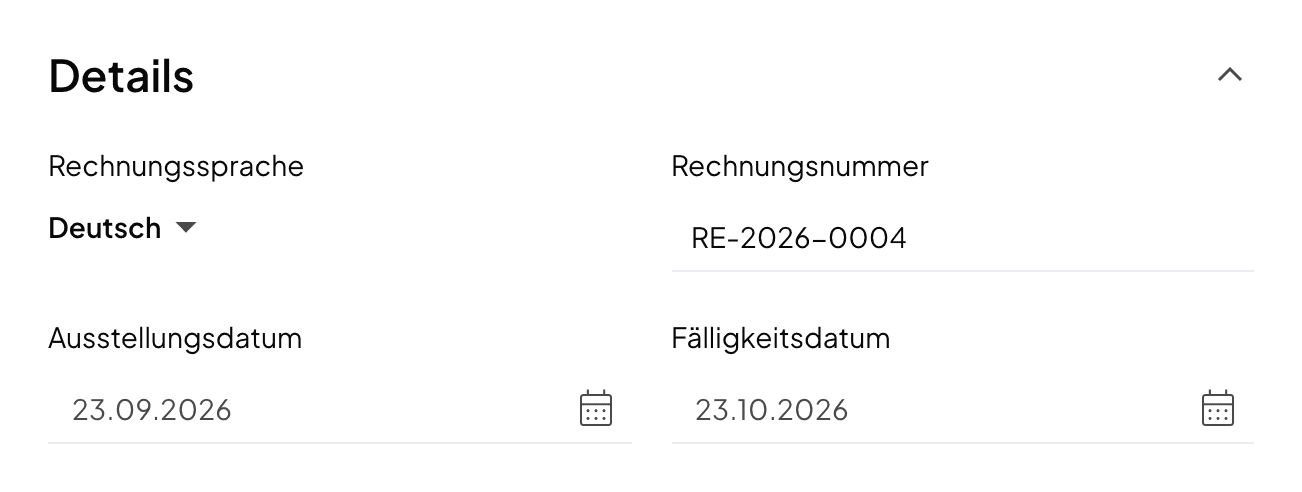
Norman fills in the next number in the editor. You can change it in the Invoice number field. On quotes the field is called Quote number, on delivery notes Delivery note number.
Norman always continues from the number you created last. To continue the format from another program, enter the next number of your old sequence on your first invoice in Norman. Norman then counts on from there. Make sure that every number appears only once.
In a new year
If a separator sets the year apart before the counter, the counter starts at 1 again in the new year. RE-2026-0187 becomes RE-2027-0001 with the first invoice of 2027. A hyphen, a slash, an underscore and a dot count as separators.
If the year is glued to the counter without a separator, for example 20260701, Norman simply counts on: 20260702, in the next year as well.
Drafts, cancelled and deleted documents
- A draft gets a number when you save it and keeps it.
- If another document took the same number in the meantime, the draft gets the next free number when you issue it.
- A cancelled invoice keeps its number.
- Only a deleted document frees its number.
So do not delete an invoice that your customer already has. Cancel it. Read Cancel or correct an invoice.
Related articles
Norman handles the operational finance work
Invoicing, receipts, bookkeeping, and taxes in one workflow: start for free.