
Record flat rates: home office, meal allowance and private car
Home office days, business trips and drives with your private car need no receipt. Enter the days or km, and Norman calculates the flat rate.
Updated
Some business expenses need no receipt: the home office flat rate, the meal allowance for business trips and drives with your private car. You enter the days or km. Norman calculates the amount with the official rates.
This applies to freelancers and sole traders in Germany who book in euros.
How to add a flat rate
- Open Accounting.
- Choose Add and then Create manually.
- Choose Expense and enter a name and a date.
- Choose the category Home office flat rate, Travel meal allowance or Private car usage. Norman opens the details for this category.
- Fill in the details. Norman shows the deduction below the fields.
- Click Save. Norman enters the deduction as the amount and locks the field.
- Click Add operation.
Norman books the flat rate without VAT and with the payment type Private contribution, because you paid the costs privately. You need no receipt. In the EÜR the flat rate has its own line. Norman also counts it in your private contributions (Einlagen).
If you change the days or km later, Norman calculates the amount again.
Home office flat rate
For each day on which you worked mainly from home, you deduct 6 €. The limit is 1,260 € a year, which is 210 days. For 2020 to 2022 the rate is 5 € a day and at most 600 € a year.
- Choose the Period, for example a month or a quarter.
- Enter the Days worked from home. As a help, Norman shows how many days from Monday to Friday the period has. Count only the days on which you really worked from home.
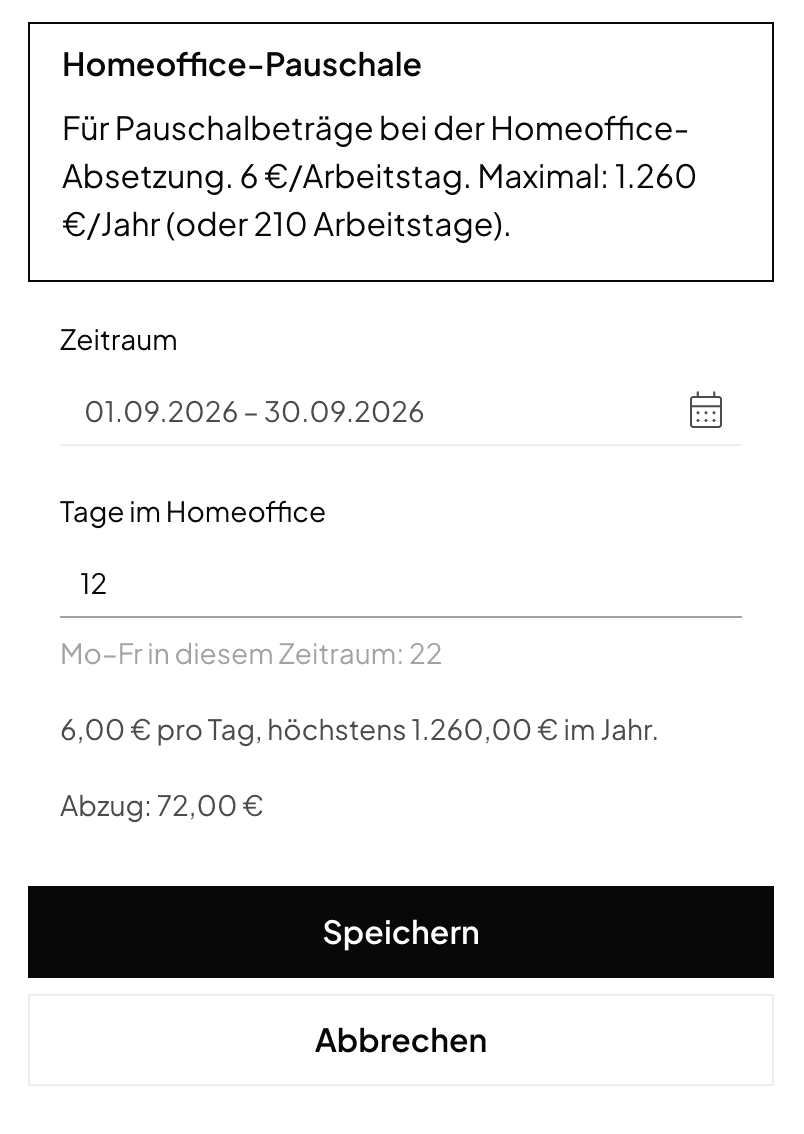
You can record a year in several entries. Norman adds up all entries of a year and stops at the limit. Below the fields you see how much your other entries already use.
If you deduct the costs of a home study (Arbeitszimmer), do not add the home office flat rate on top.
Meal allowance for business trips
For days on a business trip you deduct a flat rate for your meals. For trips in Germany:
| Trip day | Flat rate |
|---|---|
| Arrival or departure day of a trip with an overnight stay | 14 € |
| Day trip with more than 8 hours away | 14 € |
| Full day, 24 hours away | 28 € |
For trips abroad, each country and some cities, for example Paris or London, have their own rates. Norman uses the rates of the German Federal Ministry of Finance for 2025 and 2026. A country without its own rate takes the rate of Luxembourg.
- Choose the Trip Dates.
- Choose the Destination. If the country has rates for cities, choose the City or Rest of the country. Norman shows you the rates per day.
- Norman fills in the Travel days (arrival, departure or over 8 hours) and the Full days (24 hours away) from the trip dates. Change the numbers if your trip was different. A day trip counts only if you were away for more than 8 hours.
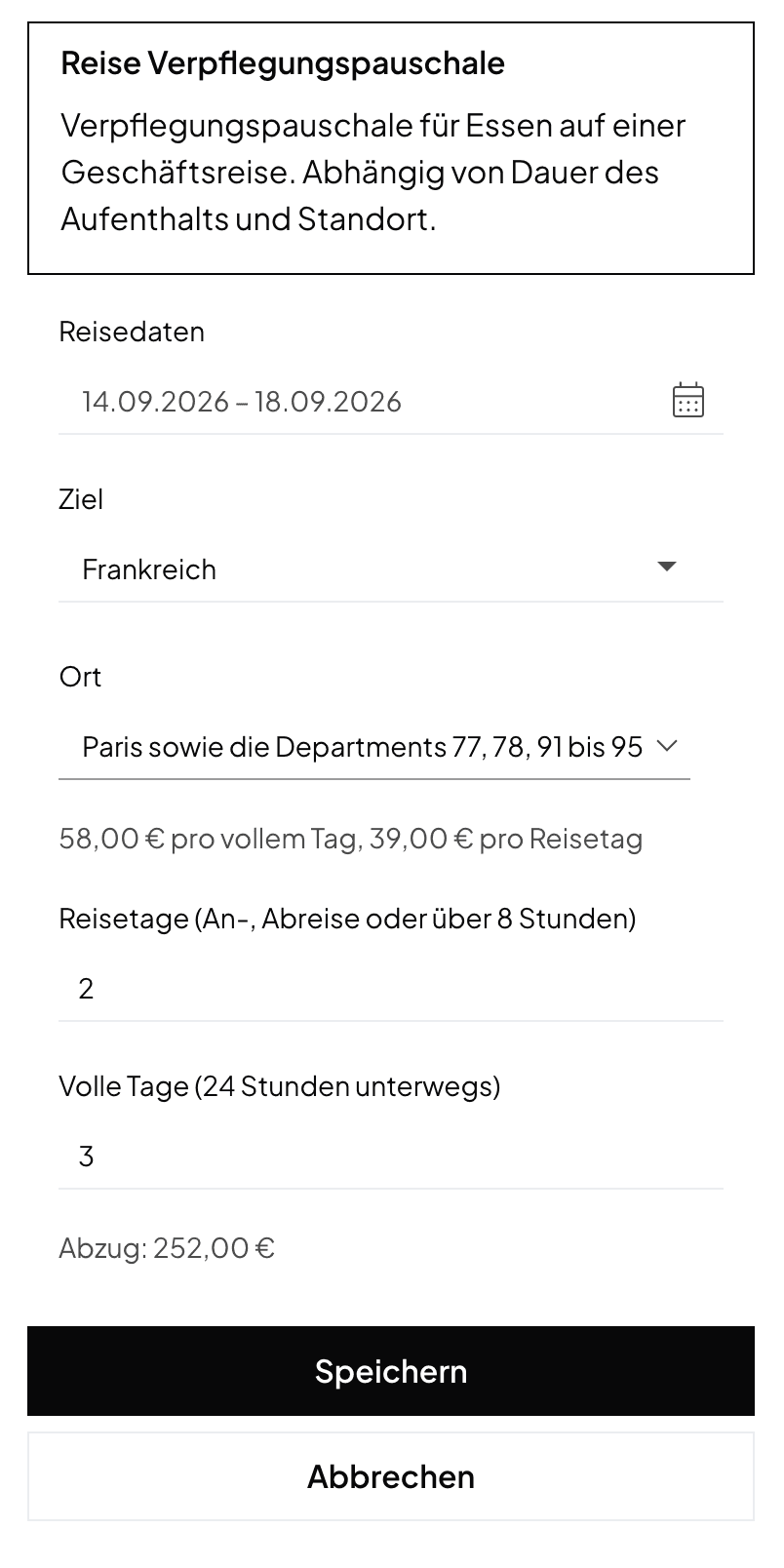
If a trip goes through several countries, add one entry for each country.
Norman does not reduce the flat rate for meals you were given on the trip. If your flat rate must be reduced, delete the days and enter the amount yourself. Norman has no rates for trips abroad before 2025. Enter the amount yourself for those too.
Private car
If you drive your private car for your business, choose the Car use type:
- Business trip: With the Kilometre rate you deduct 0.30 € per km driven. Enter the Distance driven (there and back). The rate covers all car costs for these km. If you choose Actual costs, you enter your share of the real car costs yourself.
- Drive to work: Drives to your place of business use the commuting allowance. Enter the One-way distance and the Days at your workplace. From 2026 it is 0.38 € per km of the one-way distance. For 2022 to 2025 it is 0.30 € for the first 20 km and 0.38 € from km 21.
When Norman does not calculate
- Bank transactions: If you give a bank transaction one of these categories, it keeps the amount the bank shows.
- Entries without days: An entry without days keeps the amount you entered. This also applies to entries you created earlier.
- Other currencies, UG and GmbH: Norman calculates only for self-employed people who book in euros.
Related articles
Norman handles the operational finance work
Invoicing, receipts, bookkeeping, and taxes in one workflow: start for free.