
Bank connection and CSV import
How to connect a Polish bank account to Norman, reconnect it when the connection expires, import a CSV statement when your bank is not listed, add an operation by hand and what an operation waiting for the NBP rate means.
Updated
Bank operations are the base of your books in Norman: Norman links them to invoices and documents and marks invoices as paid from them. You add operations in three ways: through a bank connection, from a CSV file or by hand.
Connect your bank
- Open Accounting, tab Operations, click Add and choose Sync your bank. You can also go to Account → Bank accounts and click Add bank account.
- Choose your bank from the popular banks or click See all banks.
- Log in to your bank and agree to share the account data.
The connection runs through a licensed account information service provider. Norman only reads operations: it does not order transfers from your account. The list includes PKO Bank Polski, ING, mBank, Bank Pekao, Erste Bank Polska, BNP Paribas, Bank Millennium and Alior Bank, among others. How much history the bank shares on the first connection depends on the bank.
The number of connected accounts depends on your plan.
When a connection expires
When a bank connection expires, new operations from that account stop reaching Norman. The Operations list then shows a message with Reconnect now, and Account → Bank accounts shows a Reconnect button. Click it and log in to your bank again.
Import a CSV statement
If your bank is not listed, or you want to add older operations, import a statement.
- Download your account history as a CSV file in your online banking.
- In Norman, open Accounting, tab Operations, click Add and choose Import statement.
- In Amounts in this file, keep Automatic (use positive and negative signs). If the file does not tell income and expenses apart by sign, choose Expenses (all amounts) or Income (all amounts).
- In Category, keep Automatic (rules and categorization) or choose one category for every row.
- Drop in the CSV or ZIP file.
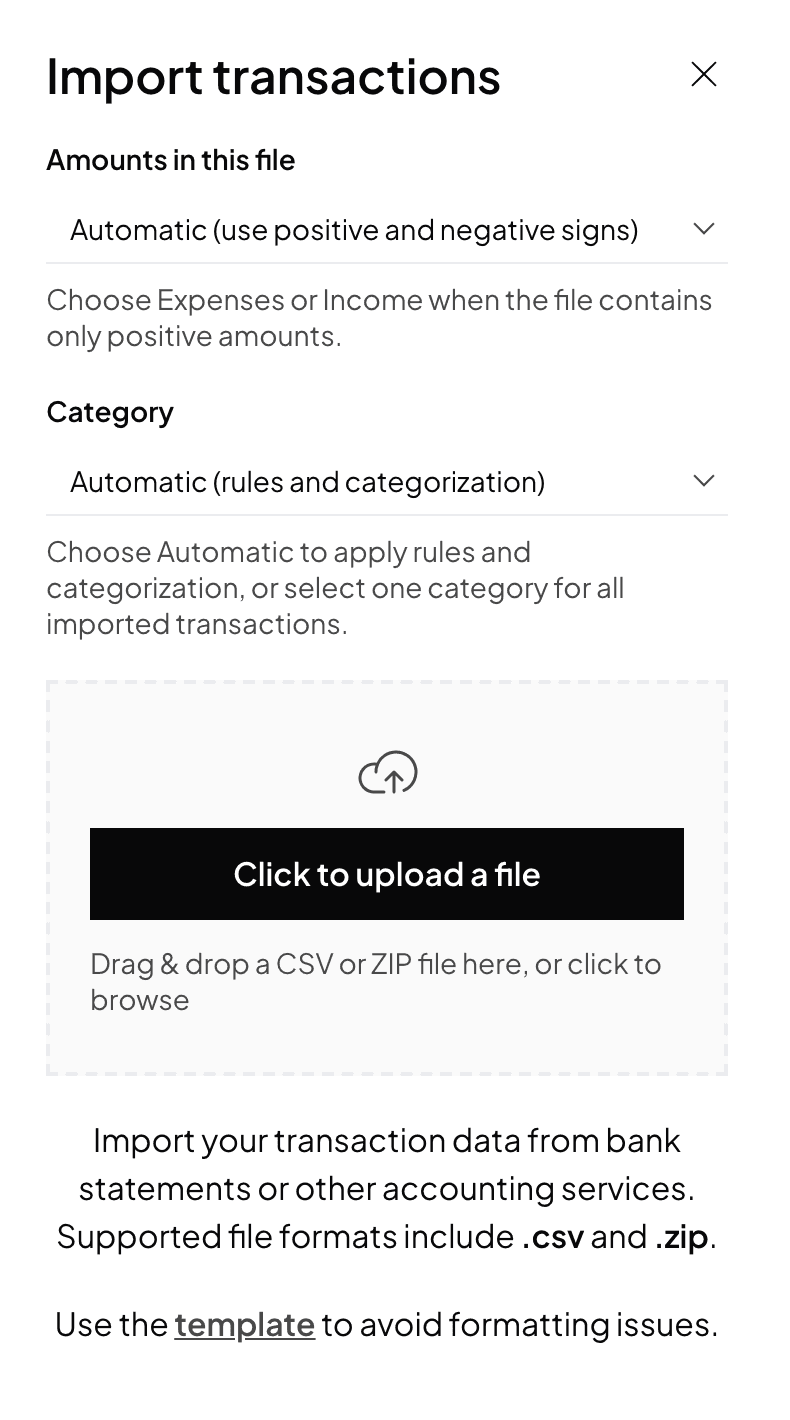
Norman recognises the file layout itself. It knows the statement formats of Alior Bank, mBank, PKO BP, ING, Pekao and Santander, and recognises other banks' files from their column headers. It reads Polish characters from files in UTF-8, Windows-1250 and ISO-8859-2.
If a JDG moved to Norman during the year, operations from before its first month in Norman do not affect its reports: you enter those months as year-to-date totals. See Getting started: a JDG in Norman.
Add an operation by hand
A cash payment, or one from an account you do not connect, you add with Add and Create manually.
Operations in other currencies
Norman converts an operation on a foreign-currency account into złoty at the NBP average rate of the last business day before its date. Until NBP publishes the rate, the list shows a dash instead of the PLN amount, and the details say Waiting for the NBP rate. You need to do nothing: Norman converts it once the rate is available. For taxes, Norman uses no rate other than NBP's.
Private withdrawals and refunds
- Mark a transfer to a JDG owner's private account with the private withdrawal category. It stays out of the KPiR.
- Mark money back from a supplier or to a client with Is it a refund?. A refund to a client reduces revenue, and a refund from a supplier reduces the cost.
Switch to AI accounting with Norman
Connect KSeF and your bank, and your operations land in Norman by themselves. Norman prepares your returns from your documents, and you check them.