
Service dates or delivery date on an invoice
Why Norman asks for a service period for services and one delivery date for products.
Updated
An invoice must state when you supplied the service or delivered the goods. Norman shows different date fields based on your sale type.
Services: start and end dates
If you sell a service, Norman asks for two dates:
- Start of the service period
- End of the service period
These dates show when you provided the service. If you provided the service on one day, select the same date in both fields.
Products: one delivery date
If you sell a product or other goods, Norman asks for one delivery date. This date shows when you delivered the goods.
Change the sale type
To change the date fields:
- Open Details in the main invoice editor.
- Find Sale type beside the service or delivery date.
- Select Services or Goods.
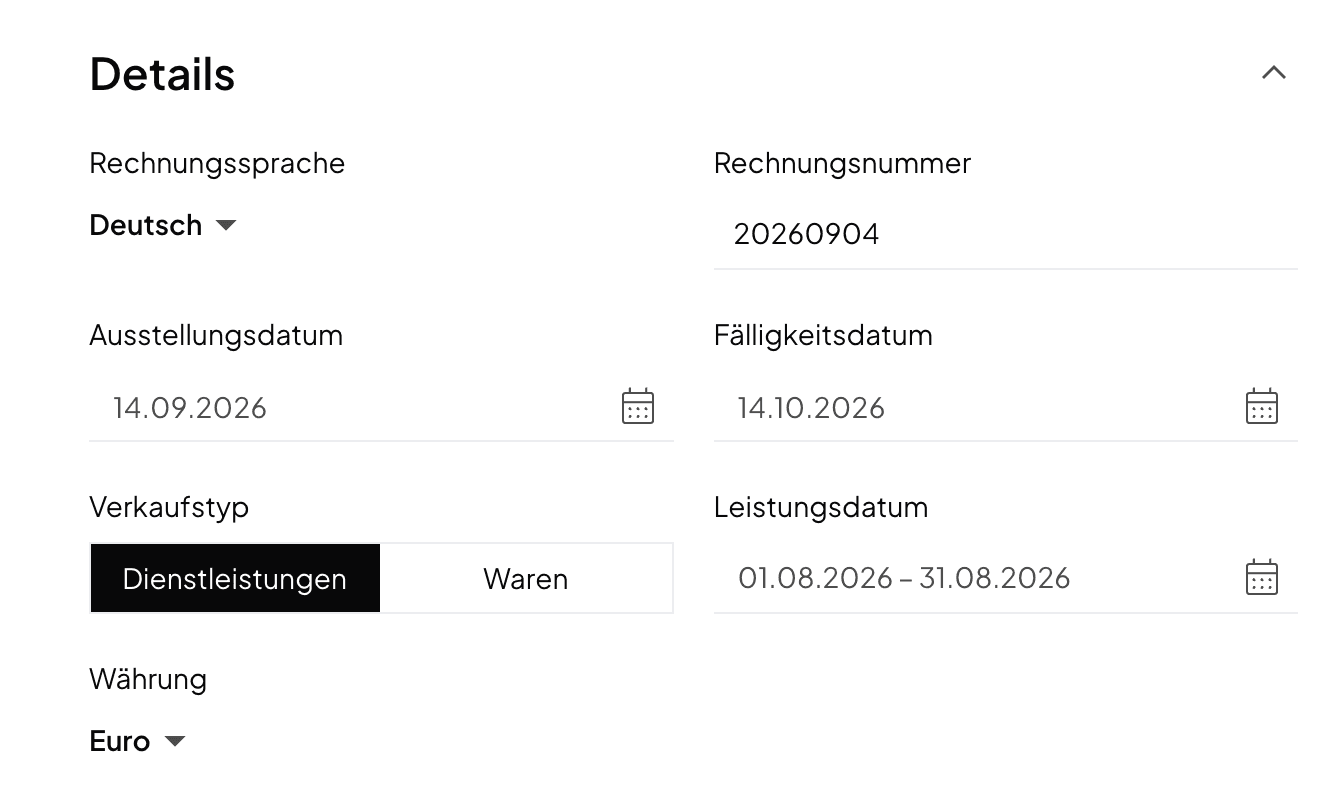
After the change, Norman shows the matching fields on new invoices:
- Services: start and end of the service period
- Goods: one delivery date
The invoice date remains separate. It shows when you issued the invoice.
A delivery note always carries a delivery date: the one from the invoice or quote, otherwise today's date. Read Create a delivery note.
Norman handles the operational finance work
Invoicing, receipts, bookkeeping, and taxes in one workflow: start for free.