
Achievements on your business card
What the achievements on your business card mean, how you earn them and how the levels of the habits work.
Updated
Norman collects achievements on your business card: small badges for steps you took with Norman. They change nothing in your books and cost nothing.
Where to find your achievements
- Click Account at the bottom left, then Account settings.
- Open the Business tab.
- At the bottom of your business card, Achievements shows how many you have, for example 4 / 14.
The card shows up to five badges, the rare ones first. If you have more, the number of the others appears next to them, for example +3. If you have none yet, the card says See what you can achieve.
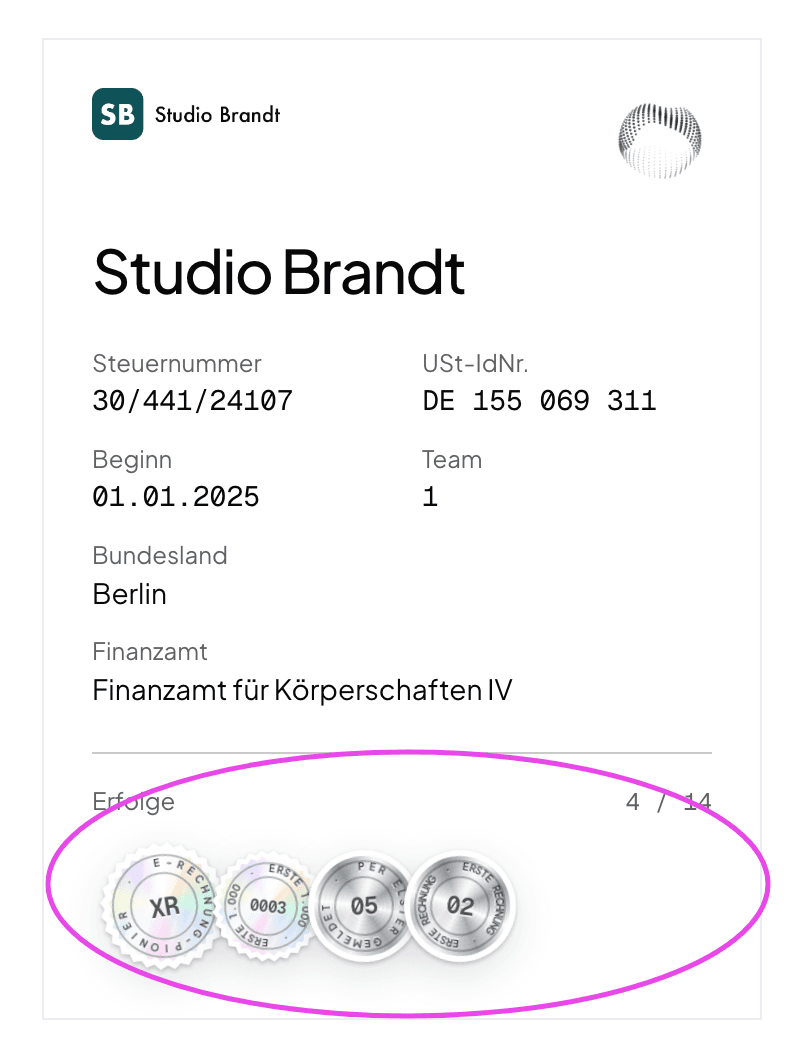
Click the badges. The Achievements sidebar shows all achievements in three groups. An achievement you have shows its date. An open one says how to earn it.
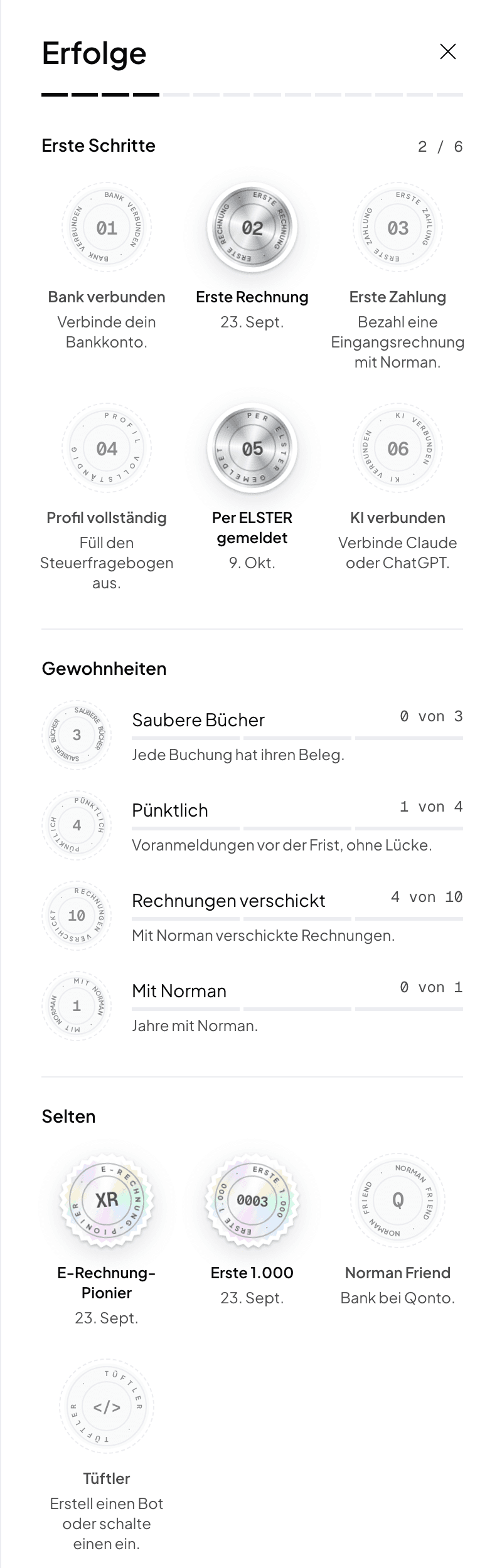
Getting started
Silver badges for the first steps, numbered in the order most people take them:
| Achievement | How you earn it |
|---|---|
| Bank connected | Connect a bank account. |
| First invoice | Send your first invoice from Norman. |
| First bill paid | Pay a bill from Norman. |
| Profile complete | Fill in the tax questionnaire and send it. |
| Filed with ELSTER | Send a tax return or filing from Norman to ELSTER. |
| AI connected | Connect Claude, ChatGPT or another AI assistant. It counts as soon as the assistant reaches Norman for the first time. |
| Colleague invited | Invite someone from your team. A GmbH or UG always sees this achievement in the list; other businesses see it after the first invitation. |
| Advisor on board | Appears as soon as your tax advisor is connected to your business. |
Habits
Graphite badges for things you do again and again. Each habit has three levels. The badge shows the level you reached. On the right you see how far you are from the next one, for example 4 of 10.
| Achievement | What counts | Levels |
|---|---|---|
| Clean books | Full months in a row in which every expense has its document | 3, 6 and 12 months |
| On time | VAT returns in a row that arrive by the deadline | 4, 12 and 24 returns |
| Invoices sent | Invoices you sent with Norman | 10, 100 and 1,000 invoices |
| With Norman | Years since your business signed up | 1, 3 and 5 years |
If a month misses a document or a VAT return arrives late, the count starts again. A level you reached stays yours.
Rare
Holographic badges that not everyone gets:
| Achievement | How you earn it |
|---|---|
| Founded with Norman | You founded your company with Norman. The badge shows the founding year. |
| E-invoice pioneer | Send an e-invoice before 2027. This achievement is only open until 31 December 2026. |
| First 1.000 | Your business is one of Norman's first 1,000. The badge shows your number. |
| OG | You signed up to Norman in 2024. |
| Norman Friend | You connected a Qonto account to Norman. |
| Tinkerer | Create a rule, switch on a bot or start a routine. See How to use bots, rules and routines. |
| Listed | Publish your business page. |
Some rare achievements only appear once you have them.
If an achievement is missing
Norman checks the achievements regularly. A new achievement can take up to 15 minutes to appear on the card. Achievements belong to the business you have selected. If you manage several businesses, each one collects its own.
Norman handles the operational finance work
Invoicing, receipts, bookkeeping, and taxes in one workflow: start for free.