
Tax advisors: close a month and a year
When you are done with a client's period, you close it. Norman keeps a record of what it holds, locks nothing and shows you each later change.
Updated
When you are done with a client's period, you close it. Norman keeps a record of the bookings and documents it holds at that moment. If something changes later, you see exactly what changed.
Which period you close
You always close the client's VAT period:
- the month, for a monthly UStVA
- the quarter, for a quarterly UStVA, also when you picked a month of that quarter
- otherwise the year, for example for a Kleinunternehmer
The period must be over. The running month offers no close yet. If you pick a quarter or a year for a client with a monthly UStVA, you see the state and the changes of its closed months, and you close the months one by one. This applies to German clients.
How to close
- Open the client and pick the period in the Copilot.
- Below the cards, click Close.
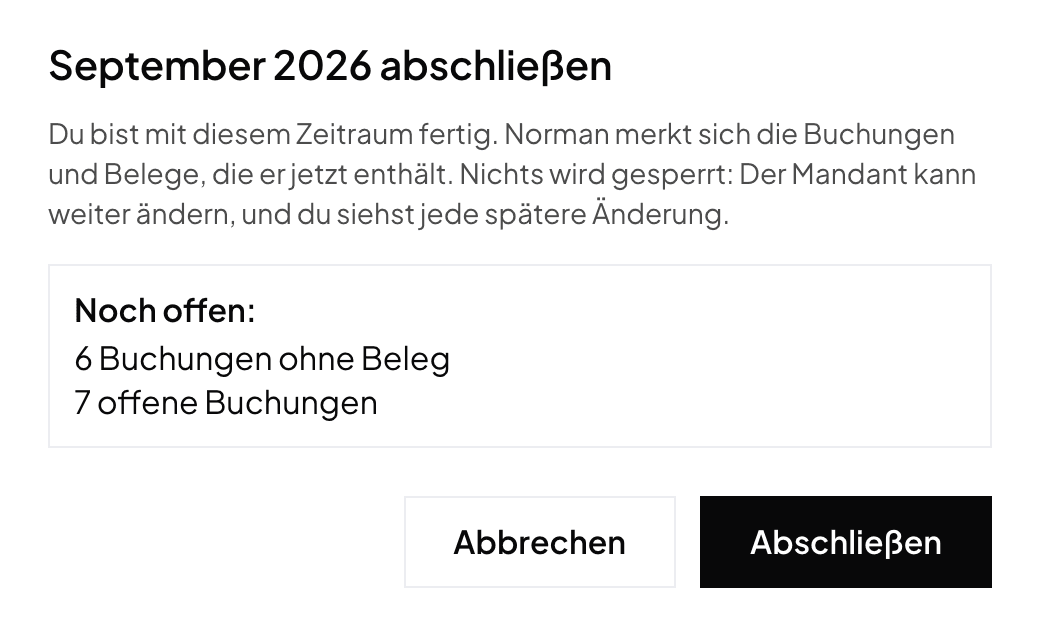
- The dialog names what is still open: documents without a booking, bookings without a document and open bookings. This does not stop you: you can always close.
- Click Close in the dialog. The Copilot then shows that the period is closed, by whom and when.
What the close does
- The close locks nothing. Your client can still book, change and delete, and sees nothing of the close.
- A late document keeps its date, also in a closed month. Norman does not move it.
- The close is no DATEV file. Norman keeps comparing the changes since the last DATEV file with your last file.
Changes after the close
If a closed period changes, the Copilot shows for example 2 Changes after the close. Show names the new, changed and removed bookings and the new documents:
- A new booking counts as soon as it arrives, also before it is finalized.
- A booking finalized only after the close counts as a new booking.
- For a GmbH or UG, a manual journal booking counts too.
- A document without a date does not count, because it belongs to no period yet.
- If your client keeps the documents closed for you, the changes leave out everything about documents.
You then have two ways:
- Close again: the state now counts, and the count starts over.
- Reopen: the period is open again until you close it.
In the client list
- The Closed column shows the date of the close. Below it is the number of changes since. A click on it opens the client's Copilot for this period.
- The Closed filter shows the clients whose period is closed and unchanged since. Their rows are grey.
- With changes after the close, the client is back under Needs you.
The year
Pick Year in the list or in the Copilot.
- GmbH and UG: the year is closed when its annual close is locked or filed. Its months then show as closed too, also one you closed before, and they count no more changes. You cannot close or reopen them here.
- Self-employed: the year is closed when its last period is closed and the EÜR and, where due, the annual VAT return are filed through Norman. There is no extra button for it. The Copilot names what the year still lacks.
Norman handles the operational finance work
Invoicing, receipts, bookkeeping, and taxes in one workflow: start for free.