
Accounting Software in Germany 2026: Freelancers and GmbH
Accounting software for freelancers, UG and GmbH in Germany: real 2026 annual prices for the EÜR and VAT returns, what the annual accounts and E-Bilanz cost, software against a tax advisor, and which tool fits which case. With Norman, bookkeeping is free.
- Category
- Tools & comparisons
- Updated
- Author
- Diana Chebotareva
Key facts
- Self-employed: For the EÜR and the VAT return (UStVA) you pay between €155 and €359 net a year in 2026. With Norman you pay from €108 a year, income tax return included.
- UG and GmbH: A corporation always keeps double-entry books and draws up a balance sheet, however small it is (§ 238 HGB, § 13(3) GmbHG). With Norman, double-entry bookkeeping is free. Max, with the annual accounts, E-Bilanz, corporate and trade tax, costs €468 a year.
- Tax advisor: Ongoing bookkeeping costs €200–800 a month, the annual accounts of a GmbH €1,500–5,000 a year.
- Kleinunternehmer: Up to €25,000 revenue in the previous year and €100,000 in the current year (§ 19 UStG), you file no VAT returns. Norman Klein costs €108 a year including the EÜR and income tax.
- The EÜR is only for sole proprietors: Freelancers (Freiberufler) always file an EÜR, sole traders until they pass €800,000 revenue or €80,000 profit a year (§ 141 AO). This threshold does not apply to a UG or GmbH.
- E-invoicing: You must be able to receive e-invoices since 2025. From 2027 you must issue them if your previous-year revenue was above €800,000, from 2028 everyone except Kleinunternehmer.
Self-employed: what accounting software costs in 2026
Most comparisons show the entry price. For your taxes you almost always need a higher plan. The table shows the plan that covers your case and the price for a full year.
| Tool | Free tier includes | Kleinunternehmer: EÜR | With VAT: EÜR + UStVA | Income tax return |
|---|---|---|---|---|
| Norman | Bookkeeping, e-invoices, AI Autopilot | Klein: €108 | Klein: €108, Pro: €252 | included |
| Lexware Office | nothing (S from €94.80) | L: €262.80 | L: €262.80 | not included |
| sevDesk | up to 3 invoices a month | Buchhaltung: €274.80 | Buchhaltung: €274.80 | not included |
| Accountable | 5 expenses a month | Buchhaltung: €238.80 | Steuern: €358.80 | guided in the app |
| Papierkram | invoices, no EÜR or UStVA | S: €154.80 | S: €154.80 (UStVA as XML for ELSTER) | not listed |
| WISO MeinBüro | nothing | Rechnungen & Angebote: €130.80 (up to €25,000 revenue) | Buchhaltung: €238.80 | not listed |
Net list prices without promotions, as of October 2026, from the providers' pricing pages. Lexware Office bills monthly, all others yearly. "Not listed" means the pricing page does not mention an income tax return. Only Norman and Accountable offer an English interface.
Two things stand out. First, the free entry at most providers is an invoicing tool: the EÜR and VAT returns come only with a paid plan. Second, the tax scope often ends with the VAT return. For the income tax return you then need a second program or a tax advisor, and you copy the profit from the EÜR by hand.
Provider by provider: Norman vs Lexware Office, vs sevDesk, vs Accountable, vs BuchhaltungsButler and vs Sorted.
Worked example: one year as a freelancer with VAT
Lena is a designer, charges VAT and files the VAT return quarterly. Her year: 4 VAT returns, the annual VAT return, the EÜR and the income tax return.
| Route | Software per year | Income tax return | Total net |
|---|---|---|---|
| Norman Pro | €252 | included | €252 |
| Lexware Office L | €262.80 | second program or advisor | €262.80 plus income tax |
| sevDesk Buchhaltung | €274.80 | second program or advisor | €274.80 plus income tax |
| Tax advisor, bookkeeping | €2,400–9,600 | usually billed extra | from €2,400 |
Subscriptions are business expenses. At a 30% marginal tax rate, Lena's €252 a year costs about €176 after tax. Where the line to a tax advisor lies is covered in tax advisor or software.
UG and GmbH: accounting software with a balance sheet and E-Bilanz
A UG or GmbH counts as a trading company (§ 13(3) GmbHG) and must keep double-entry books (§ 238 HGB). The exemption for small businesses in § 241a HGB applies only to sole traders. Tools that stop at the EÜR are therefore out, even in the first year after incorporation.
What the software must do for a corporation:
- double-entry bookkeeping in SKR03 or SKR04, with a general ledger and an asset register
- VAT returns and the EC Sales List (ZM)
- annual accounts with balance sheet and P&L, for a small GmbH within 6 months of the year end (§ 264(1) HGB)
- the E-Bilanz to the Finanzamt (§ 5b EStG), plus corporate, trade and annual VAT returns
- publication in the company register (Unternehmensregister) within 12 months of the year end (§ 325 HGB)
- payroll, as soon as the managing director draws a salary
In this comparison only Norman builds the annual accounts, E-Bilanz, corporate and trade tax itself. With Lexware Office, sevDesk and the other tools, the tax firm does it, and you pay for that on top.
This is how Norman's plans for a UG or GmbH are built:
| Plan | What is included | Per year, net |
|---|---|---|
| Free | Double-entry bookkeeping with general ledger, cash book and asset register, bank sync for 1 account, e-invoices, AI Autopilot | €0 |
| Pro | plus BWA and financial reports, DATEV export, multiple users, up to 5 bank accounts | €108 |
| Max | plus VAT returns and ZM, annual accounts with E-Bilanz, corporate, trade and annual VAT returns, payroll for directors and employees | €468 |
Billed yearly, as of October 2026.
Worked example: a small GmbH
A GmbH with monthly VAT returns and a managing director's salary has three routes through the year:
| Route | Ongoing bookkeeping | Annual accounts and tax returns | Total per year |
|---|---|---|---|
| Everything with a tax advisor | €2,400–9,600 | €1,500–5,000 for the annual accounts, returns often extra | from €3,900 |
| Norman Pro, annual accounts with an advisor | €108 (DATEV export to the firm) | €1,500–5,000 | from €1,608 |
| Norman Max | in the plan | in the plan | €468 |
The tax advisor figures come from our overview of tax advisor costs for a GmbH. With Max, Norman builds the balance sheet, P&L and account schedules from the general ledger, you send the E-Bilanz straight from the app, and for publication Norman creates the abridged balance sheet as a PDF. See how it works on the annual accounts page. Individual GmbH tools are compared in accounting software for a GmbH.
Which tool fits you?
The most important switch is your legal form, then your VAT status. After that come the volume of receipts, the language and whether you have employees.
| Your situation | What the software must do | Good fit |
|---|---|---|
| UG or GmbH, annual accounts yourself | Double-entry bookkeeping, annual accounts, E-Bilanz, corporate and trade tax | Norman Max (€468 a year) |
| UG or GmbH, annual accounts with an advisor | Double-entry bookkeeping, DATEV export | Norman Pro (€108 a year) |
| Director's salary or employees in a UG or GmbH | Payroll | Norman Max, payroll included |
| Kleinunternehmer, no VAT returns | EÜR, income tax, GoBD archive | Norman Klein (€108 a year), WISO MeinBüro up to €25,000 revenue |
| Freelancer or sole trader with VAT | VAT return via ELSTER, EÜR, income tax | Norman Pro, or Lexware Office L plus a tax program |
| Many projects, billing by the hour | Time tracking, project invoices | Papierkram, plus a filing tool for the taxes |
| You work in English | English interface and explanations | Norman, Accountable |
| Employees in a sole proprietorship | Payroll | Lexware Office with payroll add-on or a payroll office |
A spreadsheet is no alternative. Entries can be changed without a log, so it does not meet the GoBD.
What to compare
What the tool books for you. The biggest time sink is not the form but categorizing every bank transaction and matching receipts. Ask: does the tool suggest the category and the VAT rate, and does it learn from your corrections?
What you can file directly. Check for each return whether the tool sends it via ELSTER or only creates a file. For the self-employed that means VAT returns, the annual VAT return, the EÜR and income tax; for a UG or GmbH also the E-Bilanz, corporate and trade tax. Everything from one tool means the numbers match.
The price for your case. Take the plan that covers your taxes and multiply by twelve. Entry prices of €3.95 or 50% off in the first year only apply at the start.
Whether it fits your working hours. In our analysis of about 5,000 active bookkeeping hours from almost 1,000 self-employed people (January 2025 to June 2026), every second hour falls outside Monday to Friday, 8am to 6pm. Sunday alone carries 12% of the hours. Software that works on your phone and shows open tasks by itself fits this better than a desktop program. The data comes from self-employed people who keep their books digitally; more in the study after-hours bookkeeping.

Whether the AI actually works. In our business expenses analysis (expenses July 2025 to June 2026, from solo self-employed to UG and GmbH), 78% of businesses pay for software, at a median of about €330 a quarter. In the third quarter of 2025 just over one in four businesses paid for AI, a year later almost four in ten. The analysis covers businesses that work digitally, so the software share is an upper bound. If you already pay for AI, your bookkeeping should use it too.
Obligations in 2026 and 2027 your software must meet
| Obligation | Since or from | What the software must do |
|---|---|---|
| Receive e-invoices | 1 January 2025, all businesses | Read and archive XRechnung and ZUGFeRD |
| Issue e-invoices | 1 January 2027 above €800,000 previous-year revenue, from 2028 for all (not Kleinunternehmer) | Create XRechnung or ZUGFeRD |
| VAT return (UStVA) | 10th of the following month, one month later with a permanent extension | Send via ELSTER |
| Annual accounts (UG, GmbH) | small company: 6 months after the year end (§ 264(1) HGB) | Balance sheet and P&L from the general ledger |
| 2026 tax returns without an advisor | 2 August 2027 (31 July is a Saturday) | EÜR and income tax; for a UG or GmbH the E-Bilanz, corporate and trade tax |
| Publication (UG, GmbH) | 12 months after the year end, company register (§ 325 HGB) | Create the abridged balance sheet |
| Retention | Books 10 years, accounting vouchers 8 years (§ 147(3) AO) | GoBD archive with export |
With Norman you write e-invoices for free and without limits, on the free plan too.
How to do it with Norman
As a self-employed person
- Sign up for free. Under Account → Taxes you set whether you are a Kleinunternehmer or charge VAT, and whether you file VAT returns monthly or quarterly.
- Connect your bank or move over. Connect your business account under Account → Bank accounts. Coming from sevdesk, Lexware Office, Accountable or Sorted? The migration portal imports contacts, invoices and, depending on the provider, receipts.
- Upload receipts. Upload invoices under Documents or scan them with the app. Your AI Bookkeeper reads them, matches them to the payment and suggests the category and VAT rate.
- Turn on the Tax Autopilot. Norman creates every VAT return, checks the whole period, sends it via ELSTER in one click and looks for ways to lower your taxes along the way.
- File the annual returns. The EÜR, the annual VAT return and the income tax return come from the same books, and you file them straight from Taxes.
Bookkeeping and e-invoices cost nothing. To file, you pay from €9 a month, billed yearly. See how it works day to day on the AI Bookkeeping page.
As a UG or GmbH
- Set up the books. Under Accounting → Setup you choose SKR03 or SKR04. Coming from DATEV or another system? Bring in the opening balances through Opening & migration.
- Connect your bank. Norman syncs and matches your business account automatically, for free.
- Let it book. Your AI Bookkeeper posts receipts and payments double-entry to the accounts of your chart. You review the suggestions under Accounting → Transactions.
- VAT returns and payroll. With Max, Norman creates every VAT return, and you file it straight from the app. Payroll for directors and employees runs in the same system.
- Annual accounts and E-Bilanz. Norman builds the balance sheet and P&L from the general ledger, and you send the E-Bilanz, corporate, trade and annual VAT returns straight from the app.
Double-entry bookkeeping, bank sync and e-invoices cost nothing. The annual accounts, E-Bilanz and all company taxes cost €39 a month, billed yearly. More on the Norman for a GmbH page.
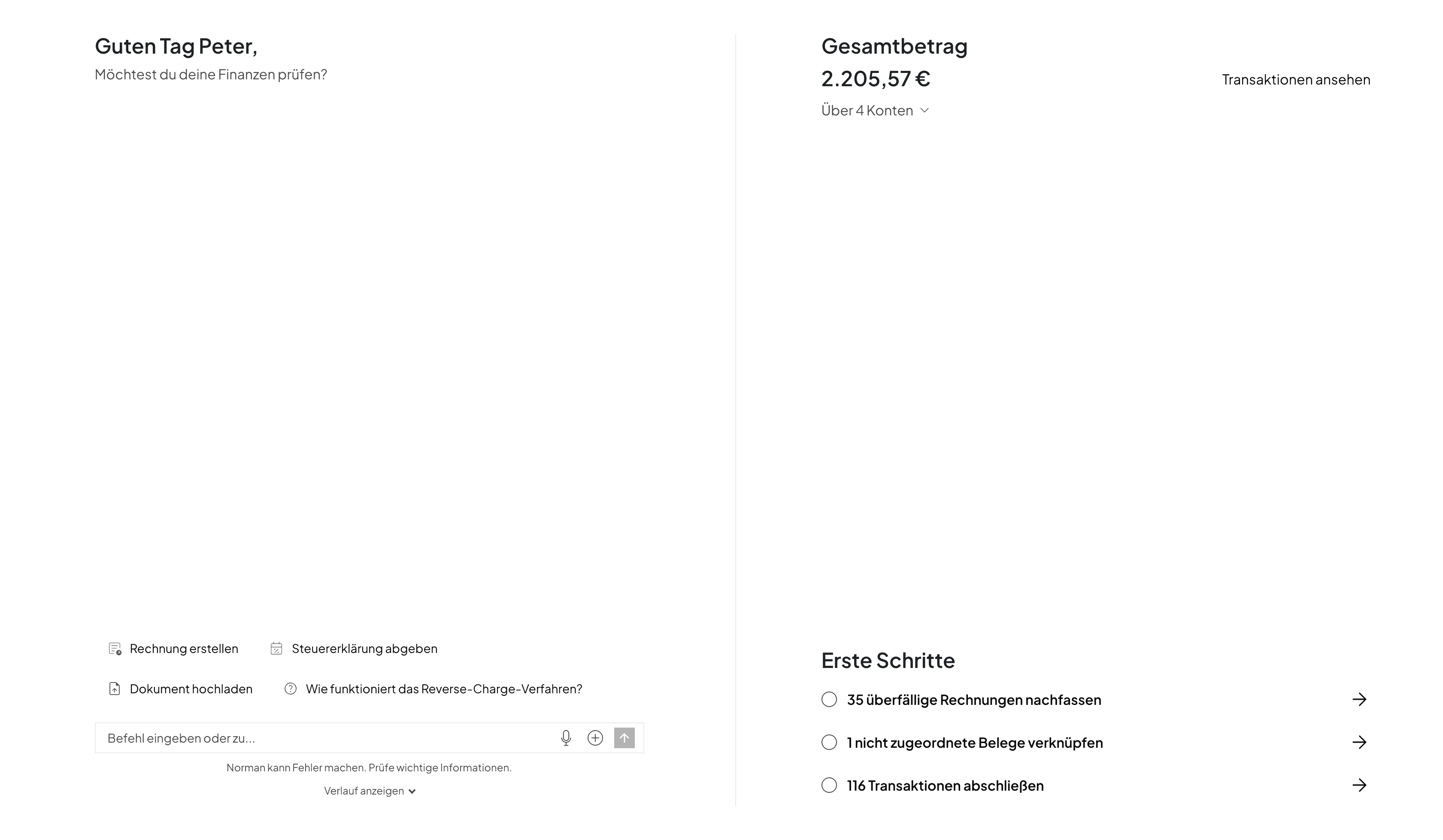
We built Norman with simplicity and automation in mind. You should spend as little time on Norman as possible, and whenever you log in, it should be absolutely clear what you need to do and why.
 Peter BoykoFounder of Norman
Switching: how to move over
- Switch any time: You can move over mid-year too. Coming from sevDesk, Lexware Office, Accountable or Sorted, the migration portal brings your data across.
- Export: Export bookings, receipts and invoices from the old tool before you cancel.
- Opening balances for a UG or GmbH: Bring in the opening balance sheet and balances before you import bank transactions in the new tool.
- Retention: Keep the export for 10 years for the books and 8 years for the receipts.
- Overlapping periods: In the new tool, import bank transactions only from the period the old one no longer covers.
If you plan to keep your own books, start with DIY bookkeeping for the self-employed. If invoicing is your main job, read the comparison of invoicing software for freelancers.
The starter book for your self-employment
Free e-book: registration, accounting, your first invoice, and taxes, plus a tax calendar, deductions cheat sheet, and invoice template.
Changelog
- October 2026: New: annual prices for Kleinunternehmer and for EÜR with VAT returns from the providers' pricing pages (October 2026), UG and GmbH with obligations, Norman plans and a worked example against a tax advisor, a decision table, 2026 and 2027 obligations, data from our studies, switching through the migration portal. The guide to the best accounting software for freelancers has moved into this article. Corrected: Papierkram from €12.90, Lexware Office L €21.90, tax advisor costs.
Frequently asked questions
- What is the best accounting software in Germany?
- There is no single winner. Many "test winner" badges come from comparison sites that earn commission on sign-ups. What matters is whether the tool files your taxes directly via ELSTER and what it costs over a full year. With Norman you file the EÜR, VAT returns and income tax return from the same books straight to the tax office, from €108 a year.
- Is there free accounting software in Germany?
- Yes. With Norman, bookkeeping, unlimited e-invoices and the AI Autopilot are free forever, and for a UG or GmbH that includes double-entry bookkeeping with bank sync. You only pay to file: from €9 a month, €39 for a UG or GmbH with annual accounts, billed yearly.
- What is the best accounting software for a GmbH or UG?
- One that books double-entry and builds the annual accounts with the E-Bilanz itself, and in this comparison only Norman does that. With Lexware Office, sevDesk and the rest you pay a tax advisor for the annual accounts on top, usually €1,500–5,000 a year. With Norman, double-entry bookkeeping is free, and the annual accounts, E-Bilanz, corporate and trade tax cost €39 a month, billed yearly.
- Can I file my GmbH's E-Bilanz myself?
- Yes. A small GmbH or UG does not have to have its annual accounts prepared or audited by an advisor; the audit duty starts with medium-sized companies (§ 316 HGB). With Norman you send the E-Bilanz via ELSTER straight from the app.
- Which accounting software works in English?
- Norman and Accountable both offer an English interface. Norman fills in the German forms from your books, and you file them via ELSTER straight from the app, from €9 a month.
- What do Kleinunternehmer need from accounting software?
- Under § 19 UStG you file no VAT returns. You need clean receipts, the EÜR and the income tax return. Norman Klein covers all three for €9 a month, which is €108 a year.
Start your bookkeeping for free, taxes from €9 a month
Your AI Bookkeeper categorizes transactions, matches receipts and writes e-invoices, free and without limits, and for a UG or GmbH it books double-entry in SKR03 or SKR04. You file your taxes with the tax office straight from Norman: from €9 for the self-employed, €39 a month for a UG or GmbH with annual accounts and E-Bilanz, billed yearly.